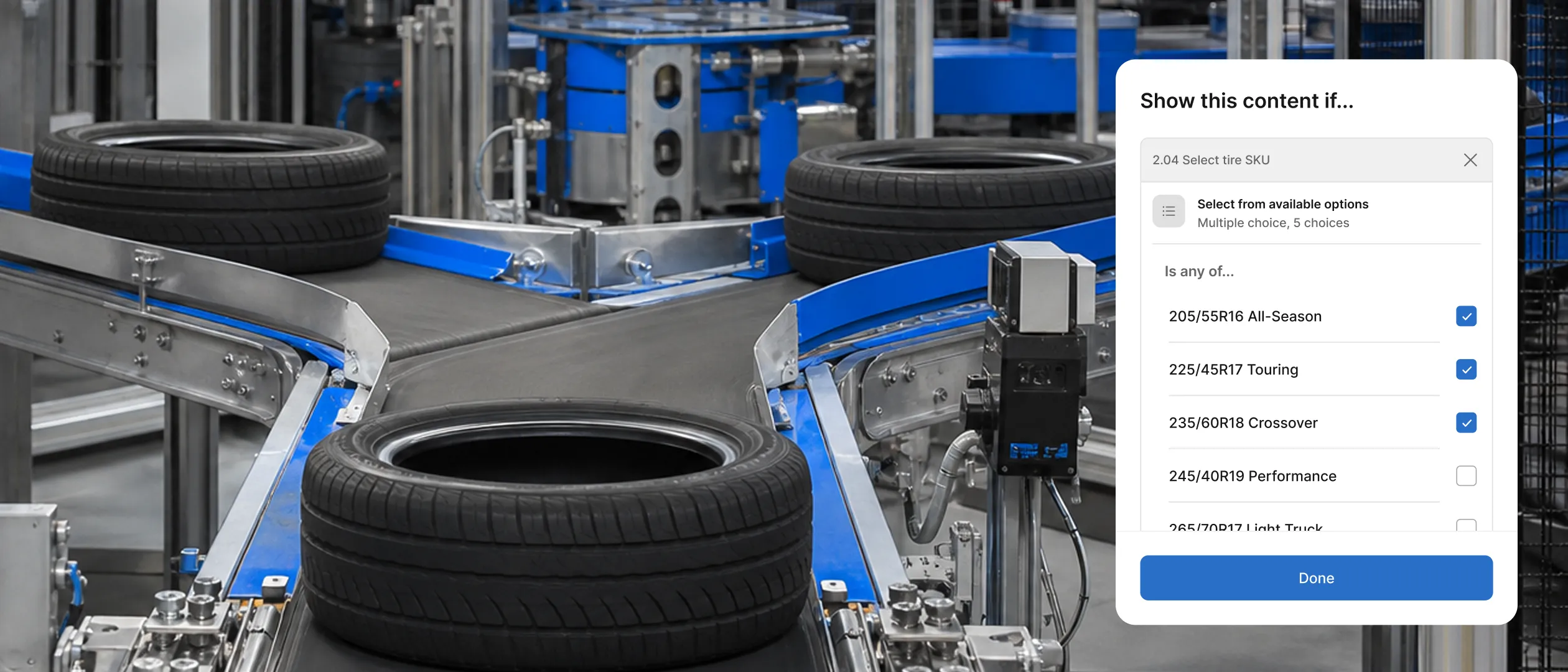
A Guide to Building Procedures in Squint Using Conditional Logic

Work on the floor and in the field is full of conditional moments. Whether a step matters depends on the equipment in front of the operator, the product on the line, or what they find when they open the panel.
In Squint, your work instructions can adapt automatically to all of those scenarios, surfacing the right steps as conditions come up so even the most decision-heavy work shows up as one clear path to follow.
Here are a few examples of typical scenarios where conditional logic can be applied:
- An operator records a pressure reading in a number module. If it's within range, the procedure moves right along. If it's too high, a new step appears asking them to tag and quarantine the part.
- A technician servicing a pump picks the model, and the procedure shows the lubrication points and torque specs for that model, hiding the ones that don't apply.
- On a line clearance, the operator confirms whether the hopper is empty. If it's clear, they keep moving. If material is left, a step opens to remove and log it before the next run can start.
You can build all of this in Squint, so the operator follows one set of work instructions instead of toggling between documents and procedures.
Triggering the right instructions for the job
There are two ways to trigger conditional logic in Squint: before the work starts and while the work is happening.
Before the work starts, you can trigger specific work instructions to appear for specific tasks. When a job gets created in your work order system, Squint turns it into a task and sends it to the right person with that context attached. The procedure opens already on the right path, so the operator doesn't need to look for what they need.

While the work is happening, the instructions start reacting to what the operator enters. A reading comes back out of spec. A part gets marked damaged. Someone flags a leak on an inspection. The instructions open the steps that fit the scenario in front of the operator and tucks away the ones that don't, so the path keeps narrowing to exactly what the job needs.
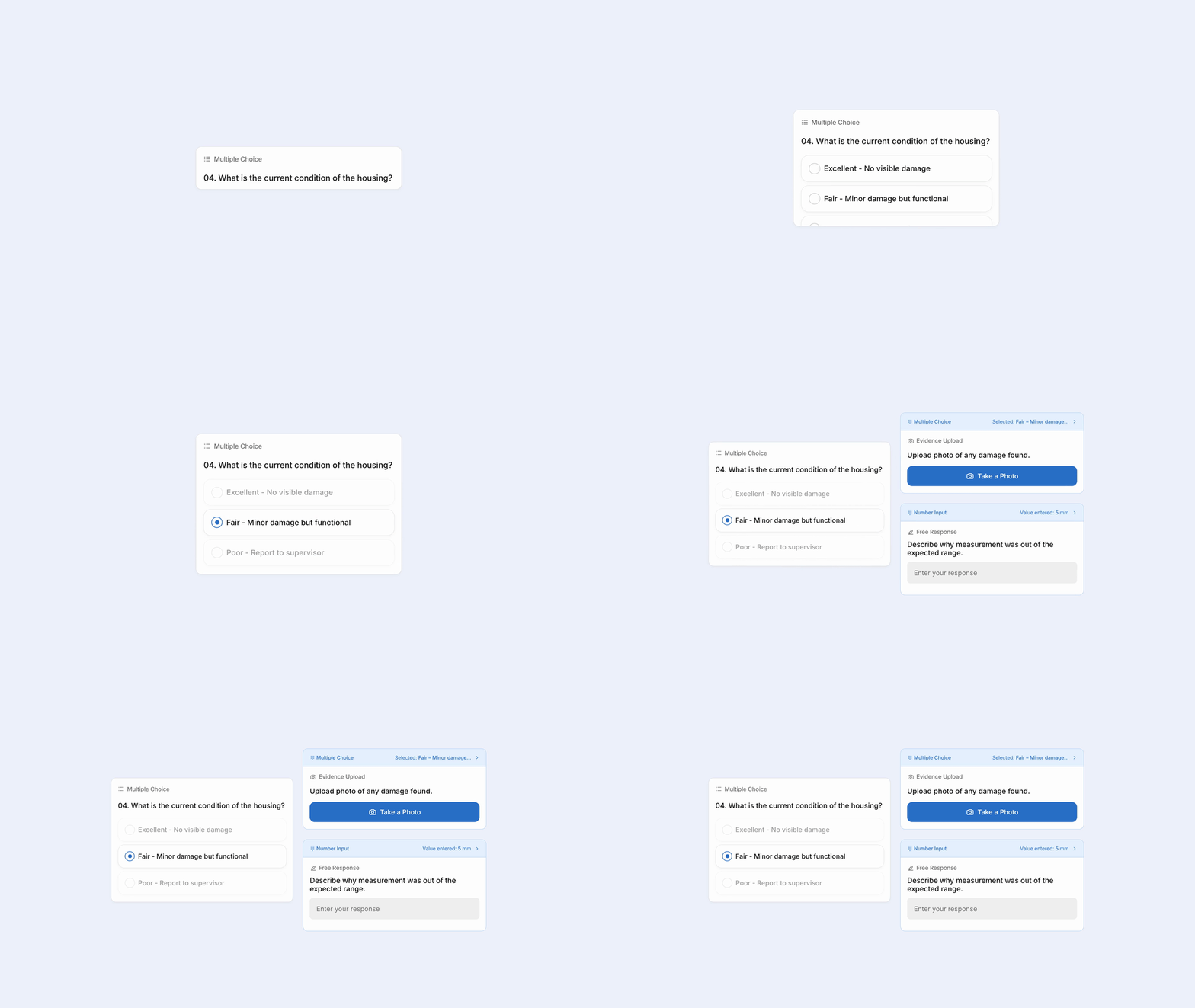
This piece will focus on setting up conditional logic while the work is happening. In a separate piece, we'll cover conditional logic that's applied before the work starts.
Building blocks of an adaptive procedure
When adding conditional logic to your work instructions, you can use the Free Response, Multiple Choice, and Number Input modules. Modules are the pieces you snap together to dictate what happens in each step of a procedure.
- Free Response: a typed answer, matched on what it equals or contains
- Multiple choice: a selection from a present list of options
- Number input: a number, like a reading, matched on a threshold or a range
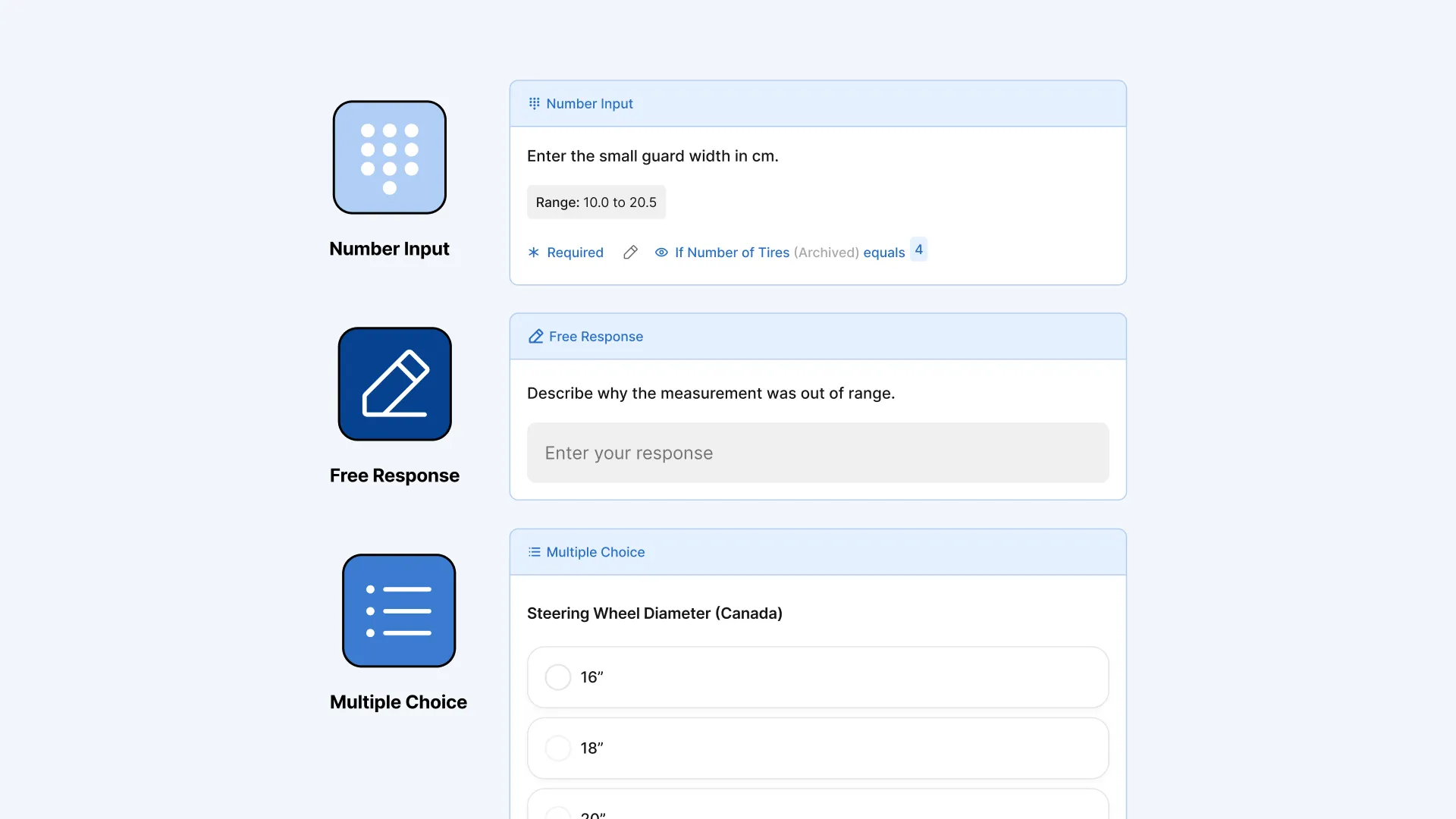
As operators perform their work, conditional logic appears and disappears based on what the module captures. An instruction, a warning, a whole checklist of action modules, can be set to show or stay hidden based on an answer to one of these 3 modules. You can also stack conditions, so a step can wait on more than one condition at a time.
Adaptive procedures don't just help the operator in the moment. They're what lets the rest of Squint's agentic system, the AI that generates procedures, assigns them, and maintains them, act on living instructions instead of static ones.
Adding conditional logic to your work instructions
Now that you understand the building blocks of conditional logic, let’s go through some examples you can build today.
Inspection
Scenario: A daily forklift inspection. Most days every check passes, but when the hydraulic fluid comes back below the MIN line, the operator has to lock out the truck and tag it out of service before anyone drives it.
- Upload your inspection sheet and let Squint turn it into a procedure, with a step for each check: the walk-around, tires, horn and lights, and the hydraulic fluid level.
- On the hydraulic fluid step, add a multiple choice module: "Is the fluid at or above the MIN line?" with yes and no.
- Build the lock-out steps you only want when the fluid is low: lower the forks, set the parking brake, turn the key off, attach a "Do Not Operate" tag, and notify the supervisor.
- Set those steps to show only when the operator answers that the fluid is below the MIN line.
On a clean run, the operator never sees the lock-out steps. The moment they mark the fluid below MIN, the tag-out steps open right where they are, and every answer and photo is saved with the completed inspection for a supervisor to review and sign off.
More places conditional logic fits
The forklift inspection is one shape. Here are two more you can build the same way.
Changeover. A filling line switches between bottle sizes through the day, each running at different fill volumes, line speeds, and cap torques. The operator picks the size at the top of the procedure, and only that size's targets appear. No hunting for the right numbers, no setting left over from a different run.
Troubleshooting. A labeler goes down mid-run. Rather than paging through every fault in the manual, the operator picks what they're seeing, won't start, labels jamming, or labels crooked, and only the steps for that problem show up. If the procedure can't place the issue, they can ask Assistant for an answer pulled from your library.
The same logic at every site, in every language
Procedures like these aren't stuck on the line or site where you build them. The logic you set up once carries across your whole operation, thanks to a few things Squint handles for you:
Run the same workflows at every site. Share a procedure with any other site or facility, and each one runs with the exact same conditions. Individual sites can make changes locally that only pertain to them.
Reach each operator in their own language. Squint automatically translates entire procedures, the questions, the conditions, and every step that can appear, into the language each person works in, across more than 50 languages.
Keep things moving, even offline. In a dead zone or out in the field with no signal, the procedure still adapts to what the operator enters. Everything is saved on the device and syncs back to the record the moment they're in range again.
Wrapping up
Static work instructions force operators to make judgement calls about work they shouldn’t have to make. They end up following steps that don’t apply, wasting time and inviting wrong actions, or they go off script and improvise, meaning the work drifts from one operator to the next.
Giving operators work instructions that adapt to the real world conditions they're facing means fewer errors, which leads to less scrap, less rework, and less downtime. And because these procedures are dynamic, Squint's agents can act on them, generating new procedures, routing the right one to the right person, and keeping them current, with every result recorded and audit-ready the moment the work is done.
Ready to set up your first conditional procedure? Jump into Squint and get started or request a demo to learn more: www.squint.ai/demo