
New SharePoint integration, in-app media editing upgrade, and everything else we shipped in May

In May, we shipped a historic number of improvements, with one release boasting a whopping 70 changes alone. Every type of Squint user got something special last month. Let’s dig in.
Squint now integrates directly with SharePoint
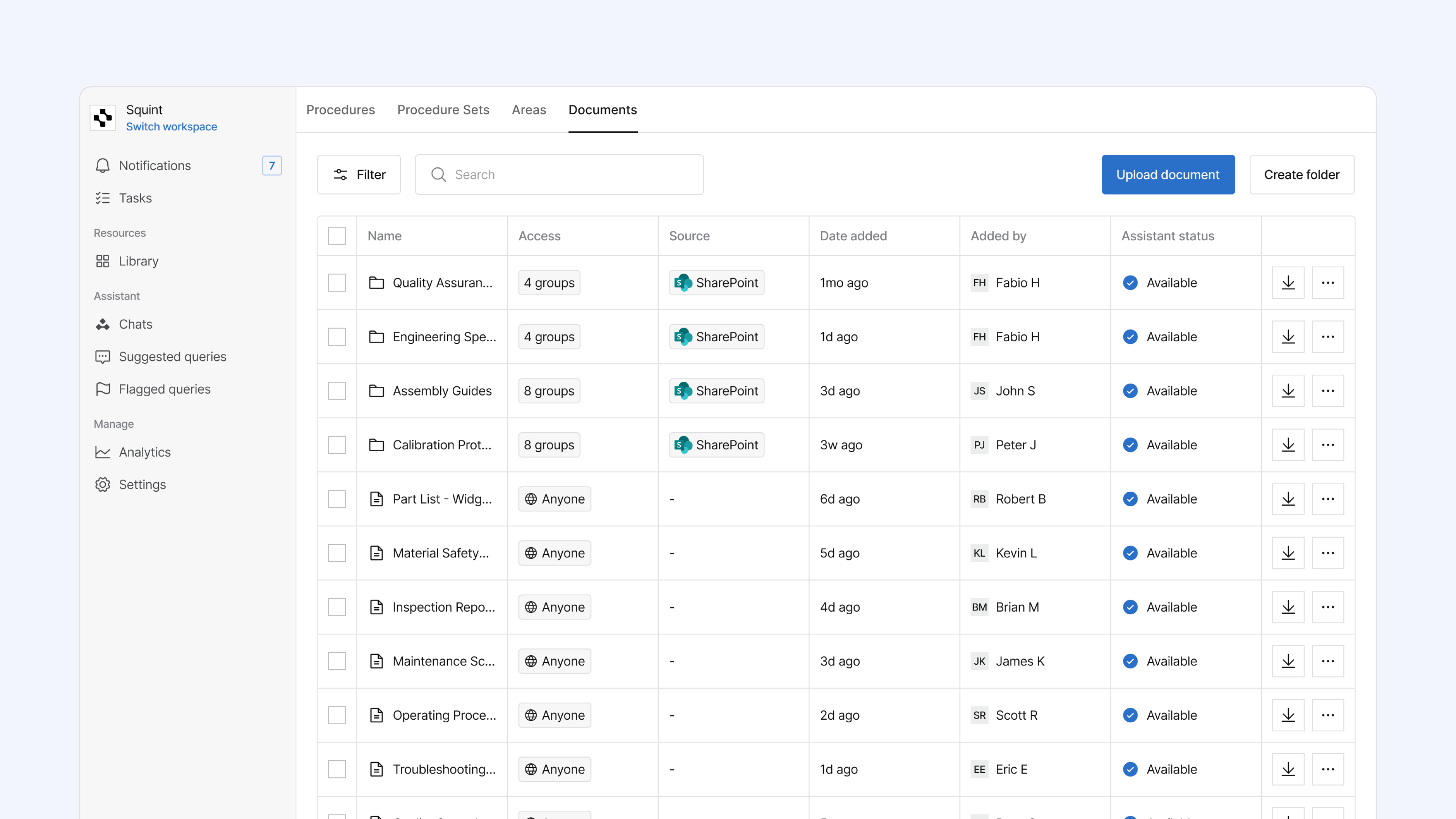
Your SOPs, work instructions, and reference docs already live somewhere, and for a lot of teams that somewhere is SharePoint. Now Squint connects to it directly.
Once you connect a SharePoint document library, all of your PDFs flow into Squint and stay in sync as new ones are added or updated, so your existing SOPs and reference docs feed procedure generation and Assistant without anyone re-uploading a thing.
Get this integration set up with your Squint customer success partner today.
More ways to capture and refine procedures from video
Turn multiple video clips into a single procedure
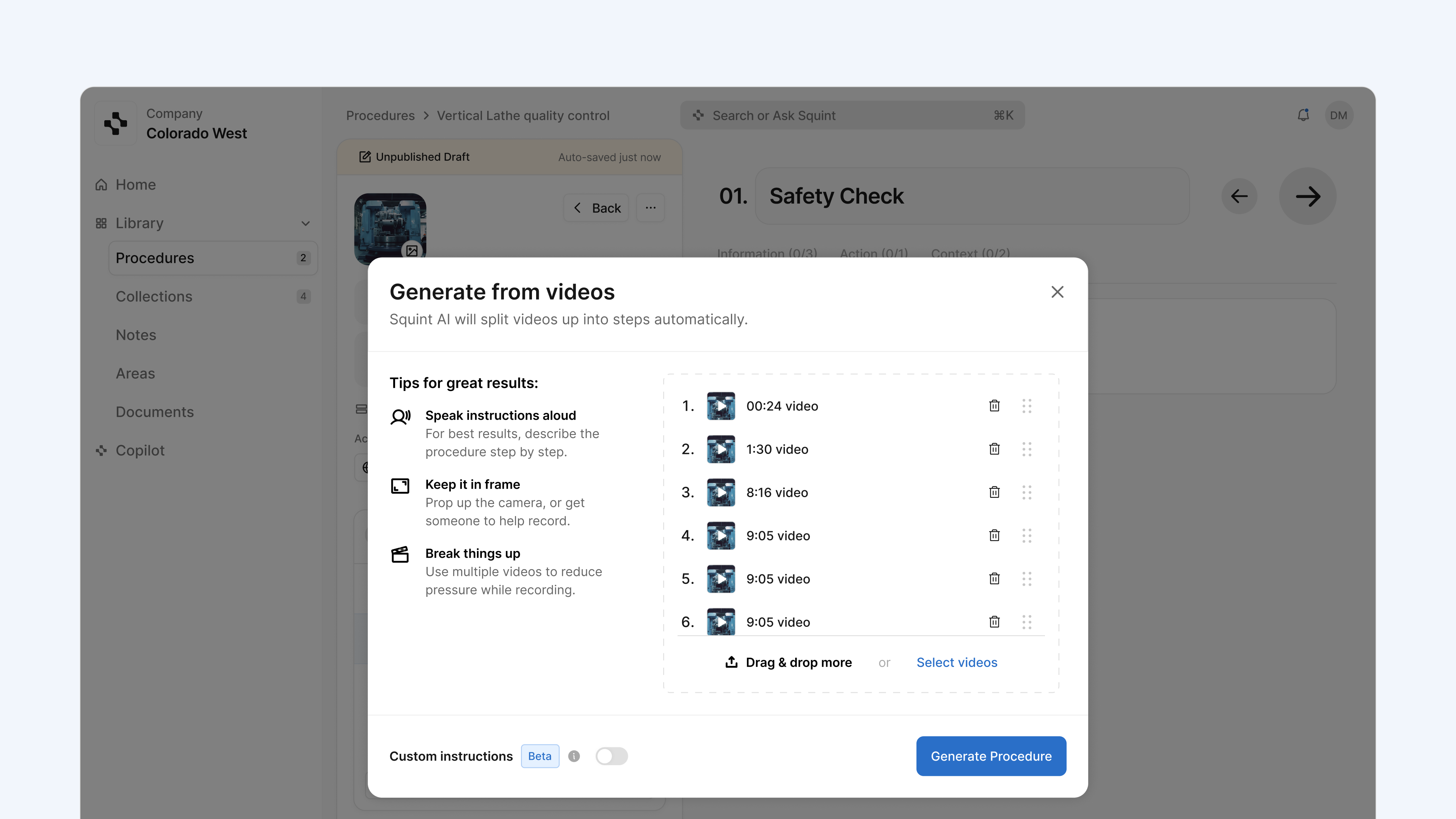
Real work rarely happens in one clean take. An operator gets interrupted, a step gets fumbled, a changeover splits the job across a shift. Now you can record the work in as many clips as you need and Squint stitches them into a single procedure.
Live on web and mobile for all customers.
New media editing and capture features just landed inside Squint
Squint now has a full set of media editing tools built right into the mobile app. Trim a video to the part that matters, add a voiceover if you need to make a change to the audio. You can pause while recording, pick up where you left off, and switch on flash for dark or low light environments. For images, you can annotate, rotate, or crop them to point at exactly what an operator needs to see.
.png)
Check out the experience in the app on both iOS and Android.
Compare, revert, and improve with procedure logs
See revision history and performance logs clearly
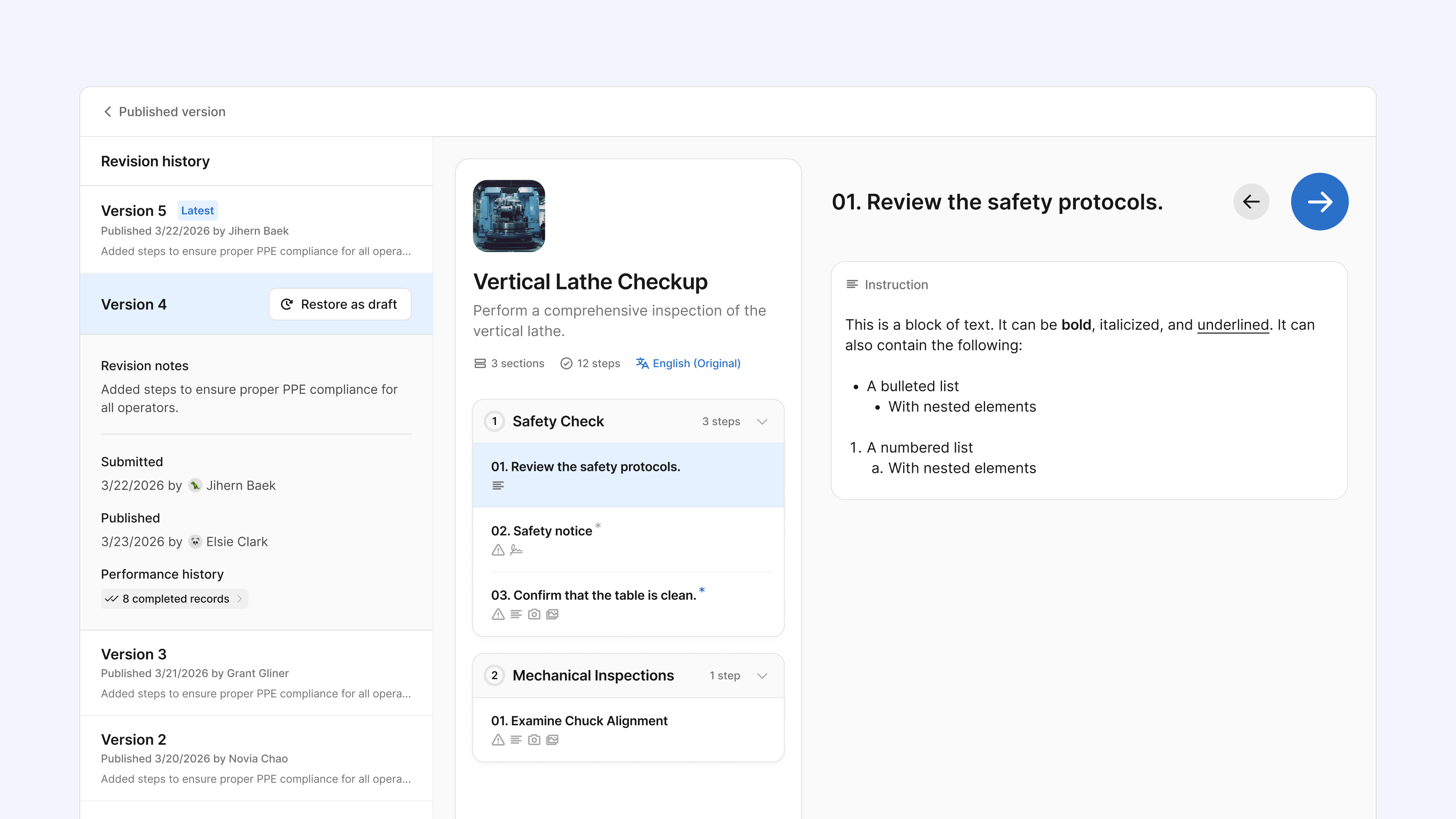
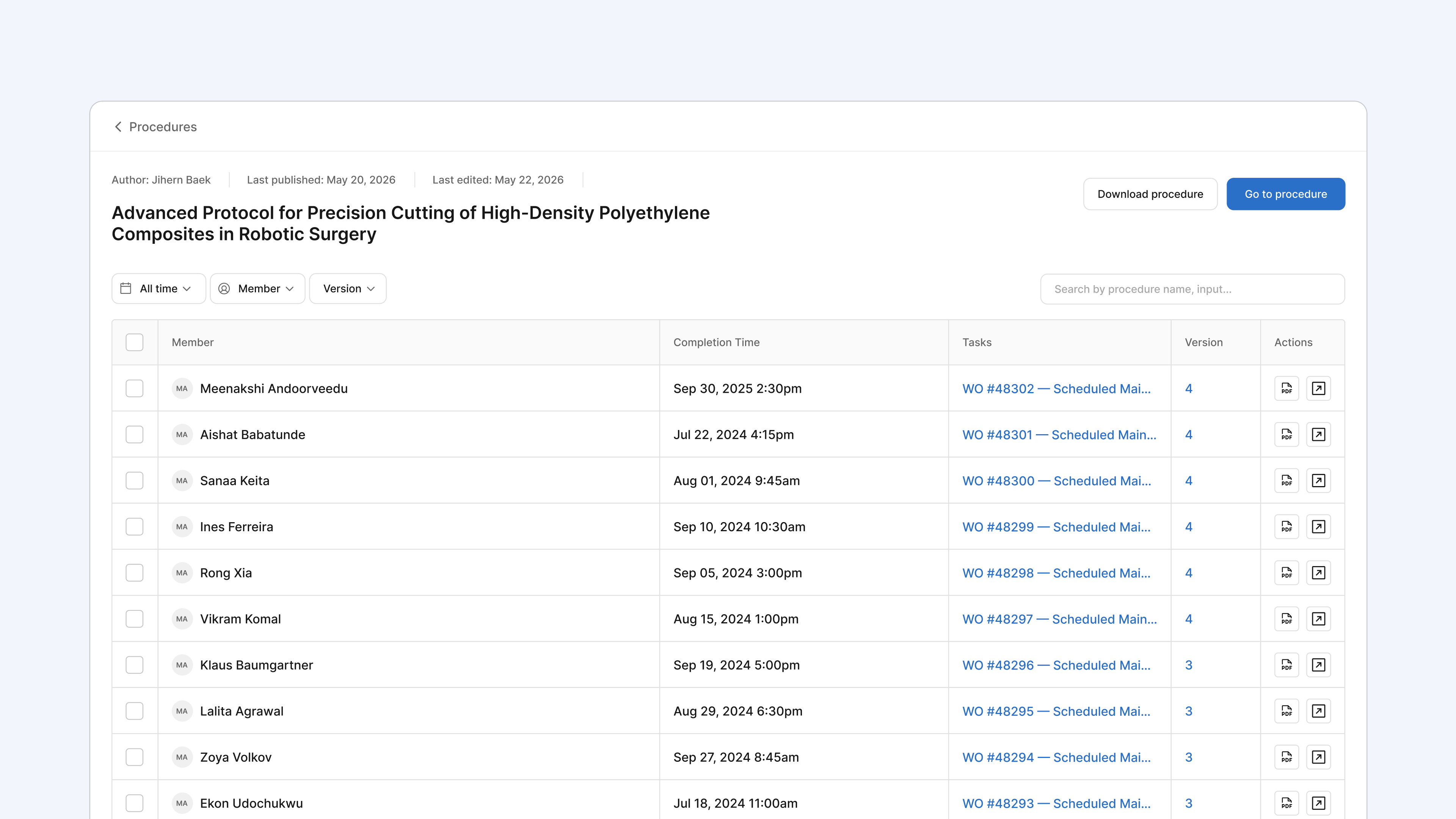
Squint saves a copy of a procedure each time it’s edited and keeps a log of every time it’s been performed. All that rich data used to live in small modals that were hard to search through, now each has a full page view.
Revision history now allows you to compare procedure versions side-by-side and if a recent edit is resulting in increased scrap, restoring an older version is just a click away.
Perform history now comes with search, filters and version grouping. You can now open any record of a completed procedure, search and filter to find a specific run, and see the task it was tied to.
Ensure operators see changes before they perform a procedure
When a procedure is updated, operators can be asked to review what changed before they begin, and Squint records who confirmed which version. A revised step or an added safety check reaches the people who need it, with a clear record that they saw it.
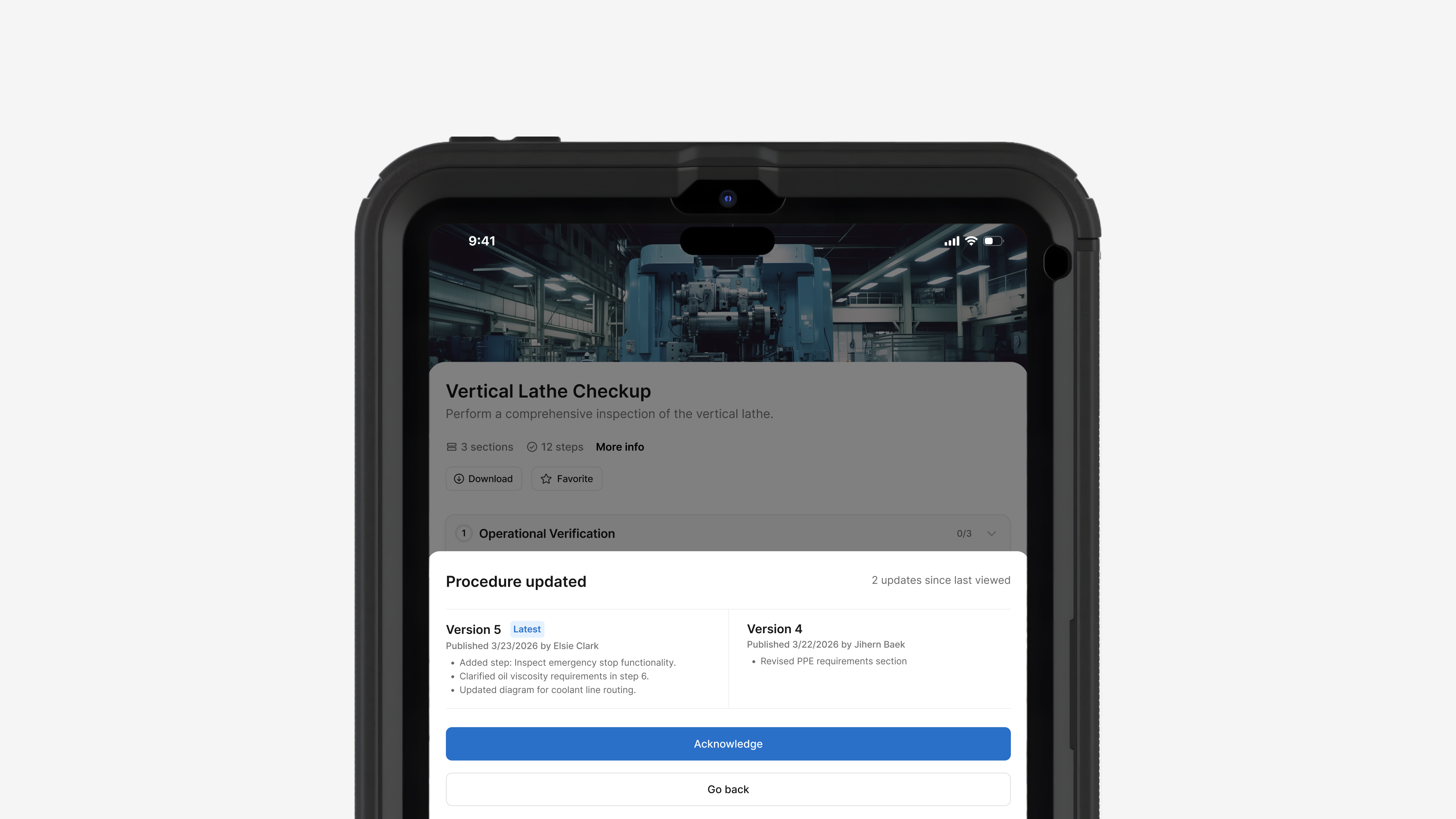
Available on web and mobile. To turn this feature on, talk to your Squint partner.
And a few more things
Assistant has sharper answers in even more languages. In addition to answering questions across all 50+ supported languages, it now also handles long, dense documents with ease.
Faster task cleanup. Admins can now reassign a batch of tasks in one action, and link a procedure run back to the task it was associated with.
New Purpose module added. Teams can now capture the "why" behind a step. Built to support the Training Within Industry (TWI) standard, the Purpose module helps operators understand why a spec matters. Talk to your Squint success partner to turn this on for your org.
Quick convert to procedure. You can now generate a procedure right from the Documents tab of your Squint Library. You can convert an individual document or select multiple and convert all of them at once.
That’s all for last month. So many of our features and improvements come from feedback we get from customers, so keep it coming! You can submit feedback and requests in Squint by clicking “Submit feedback” in the Help & Support section of the web and mobile app.