
Route procedures through your quality system, build on our new API docs, and everything else we shipped in June

Last month Squint went all-in on integrations. Procedures can now automatically trigger your quality control process for reviews and approvals, and a new developer docs site makes it easy to build Squint into the rest of your stack. Plus new face blurring functionality, procedure-wide language conversion, and a few upgrades to the Squint web app. Here's what's new.
Route procedure changes through your existing approval process
For most Squint customers, any change to a procedure has to clear a formal review and approval process in a quality management system (QMS). Keeping Squint and that system in step has meant manual work: exporting content, tracking approvals in two places, and republishing by hand. Now you can connect your QMS directly to Squint.
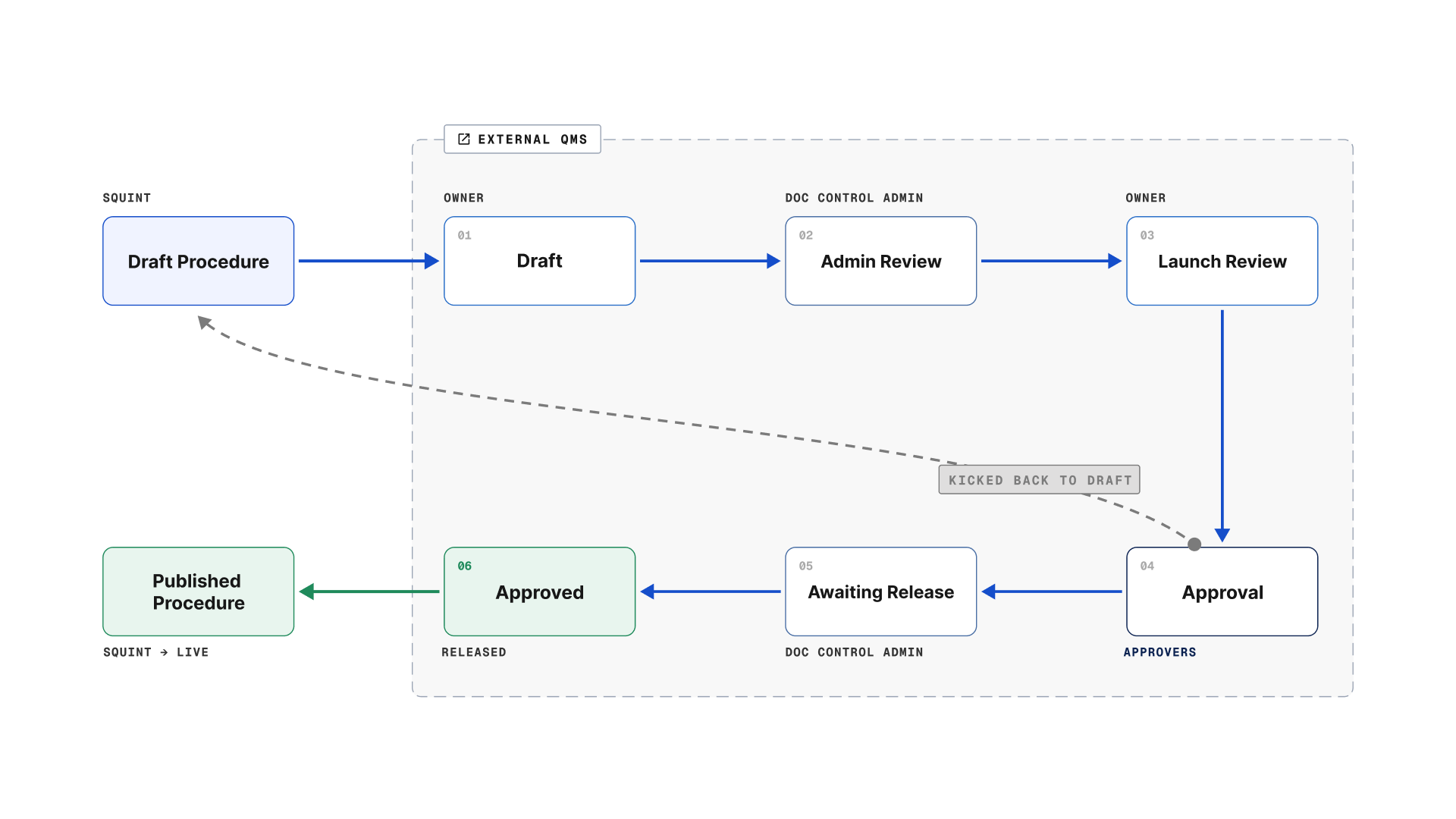
Here's how it works. When someone submits a draft for review in Squint, your QMS picks it up and runs it through your approval process, exactly as it works today. Approved drafts publish in Squint. If a draft needs edits, reviewer comments follow it back into Squint, and the loop continues until it's approved. The whole time, the version your operators perform stays live, so nothing on the floor is disrupted.
Talk to your Squint account team or reach out to support@squint.ai about connecting your quality system using the Squint API.
Build Squint into the rest of your stack
The more systems Squint connects to, the more useful it gets, and now the tools to build those connections are in your hands. Our new API documentation site, docs.squint.ai is home to everything your engineering team needs to wire Squint into your work order system, your data warehouse, your quality system and more. Login using the same email you use to access Squint.
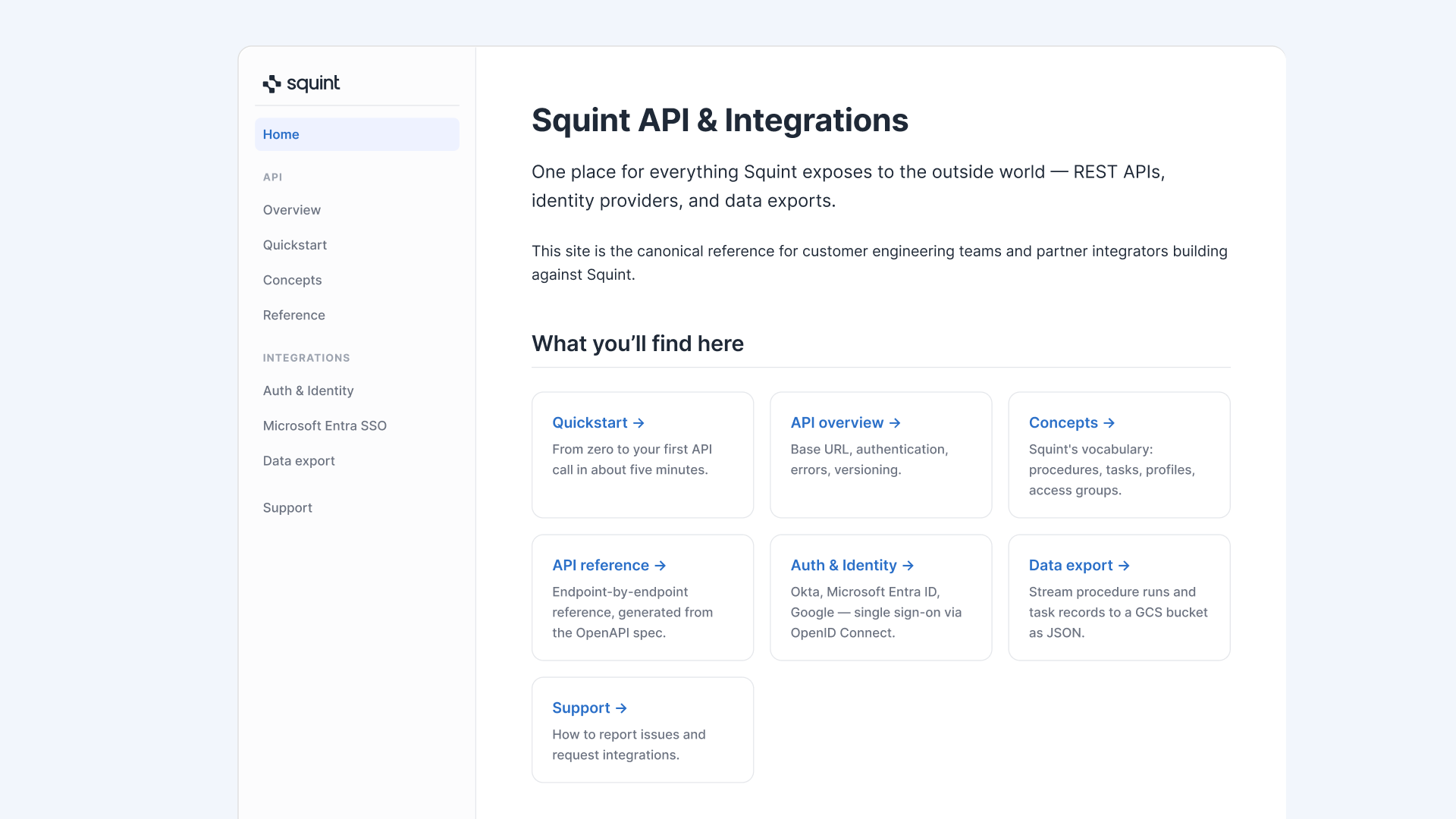
Ready to start building? Don’t wait for us! You can now create and manage API keys inside Squint. Navigate to the Settings area, then click the Integrations tab. From there you can see all of your API keys, generate new ones and delete the old.
Capture work and maintain privacy, all in one take
Recording real work means recording real people. For teams with privacy rules or works-council agreements, capturing work can be a challenge. Now Squint can automatically blur faces in your procedure videos, so you can capture the job while maintaining operator privacy.

To apply blurring in a specific video, navigate to the procedure, hover over the media clip in a given step and select “...”, then toggle “Blur faces” on.
To apply face blurring to all videos moving forward, navigate to your Settings, select the Workspace tab and toggle “Blur faces for all Procedure videos by default?” on.
Squint maintains a copy of the original video, so reverting is easy, just flip the toggle back.
And a few more things
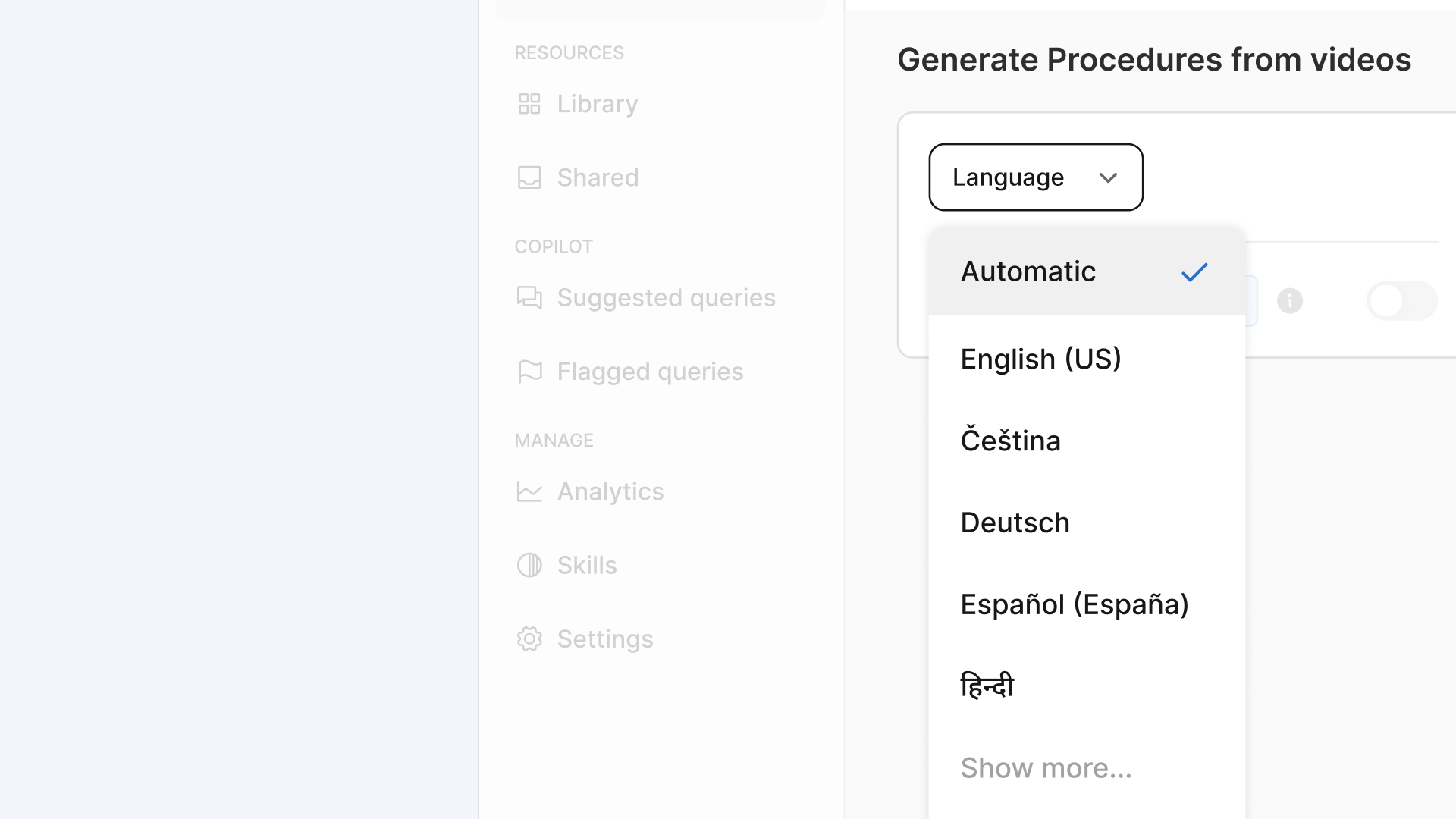
Generate a procedure in the language your team speaks. When you generate a procedure from a video, you can choose which language the procedure generates in. Record a walkthrough in English, get the procedure in Spanish, captions included.
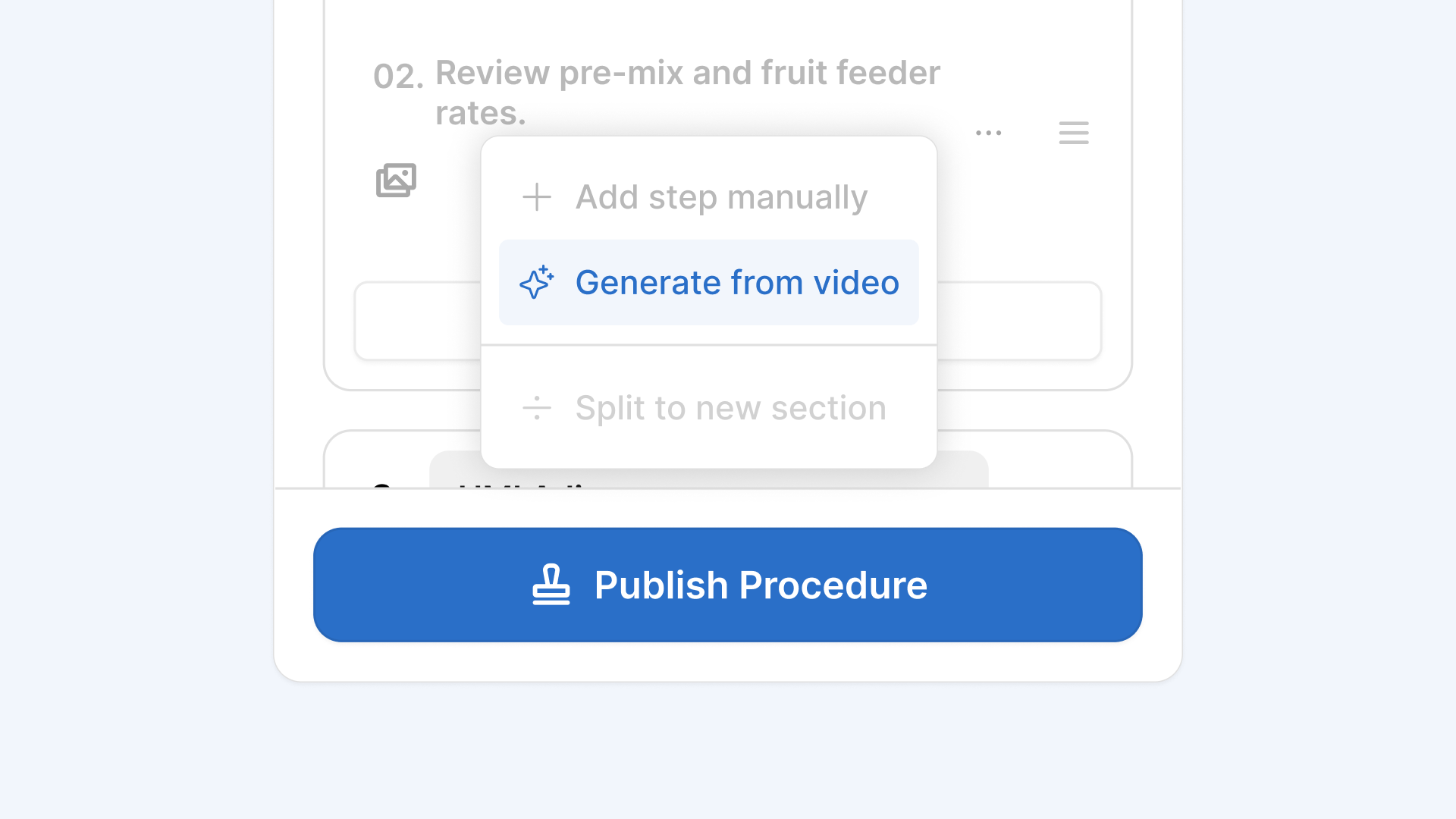
Generate a single step in a procedure on web. Users can now generate a step within an existing procedure using a video, the same way you already can on mobile.
Sign in with your preferred identity provider. Squint already supports SSO with Microsoft, Google, and Okta. Now you can also connect your own SSO provider, so your team logs in with the credentials they use everywhere else. Reach out to your Squint account team or support@squint.ai to learn more.
Your feedback helps us build better features. Have a suggestion? Click “Help & support” and select “Send feedback” in the app to share it.