Tasks, Conditional Logic, and Everything Else We Shipped in March

Step aside Michigan, we had our own buzzer beater month in March. Here's a look at what we released, from the features we've been building toward for a while to the smaller improvements that make the day-to-day better for the people using Squint on the floor and in the field.
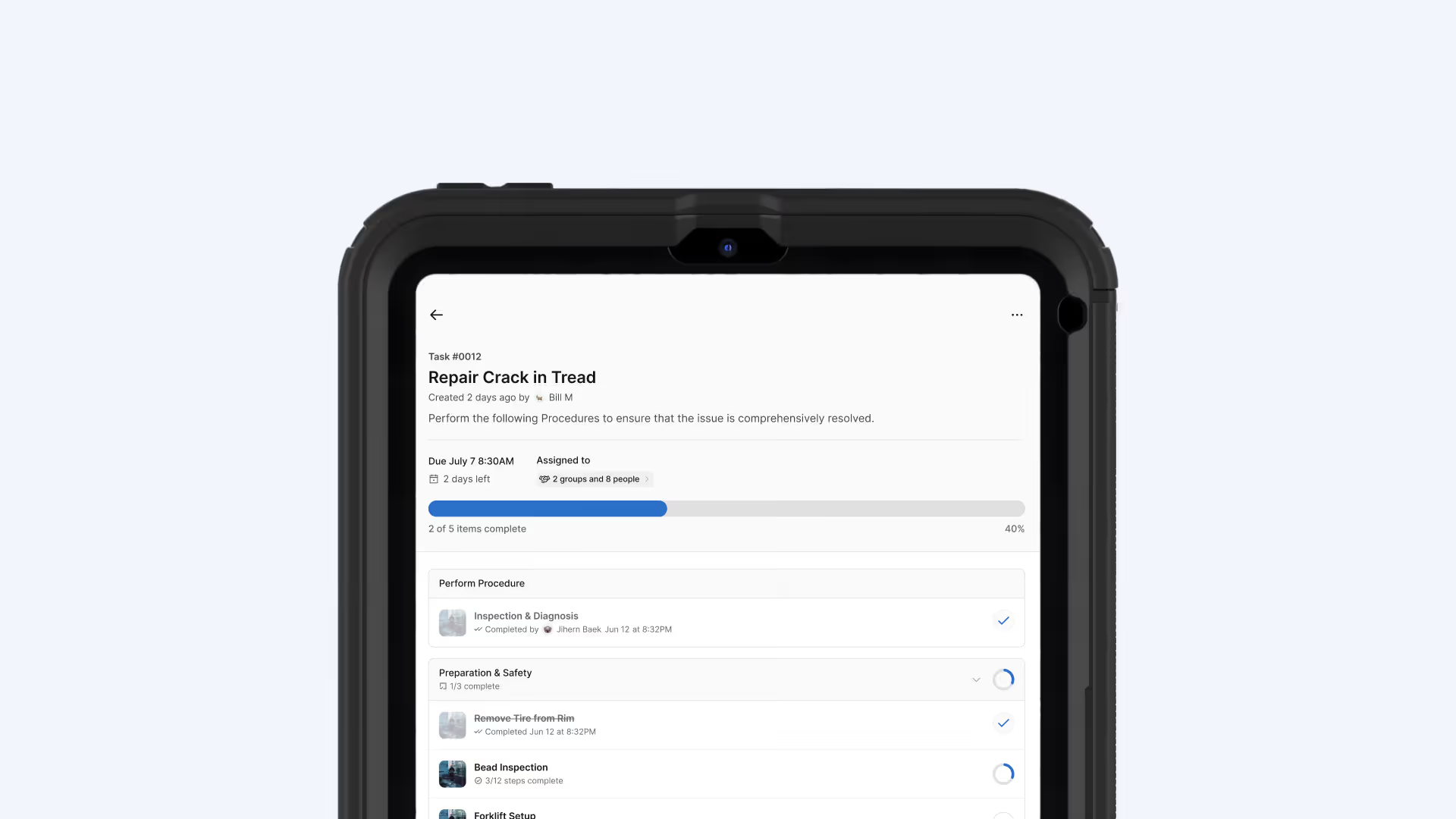
Teams can now assign work in Squint
Two major product developments landed in the product last month. The introduction of Tasks means supervisors and operators can now assign work, approve completions, and track follow-through, all inside the same platform where your work instructions live.
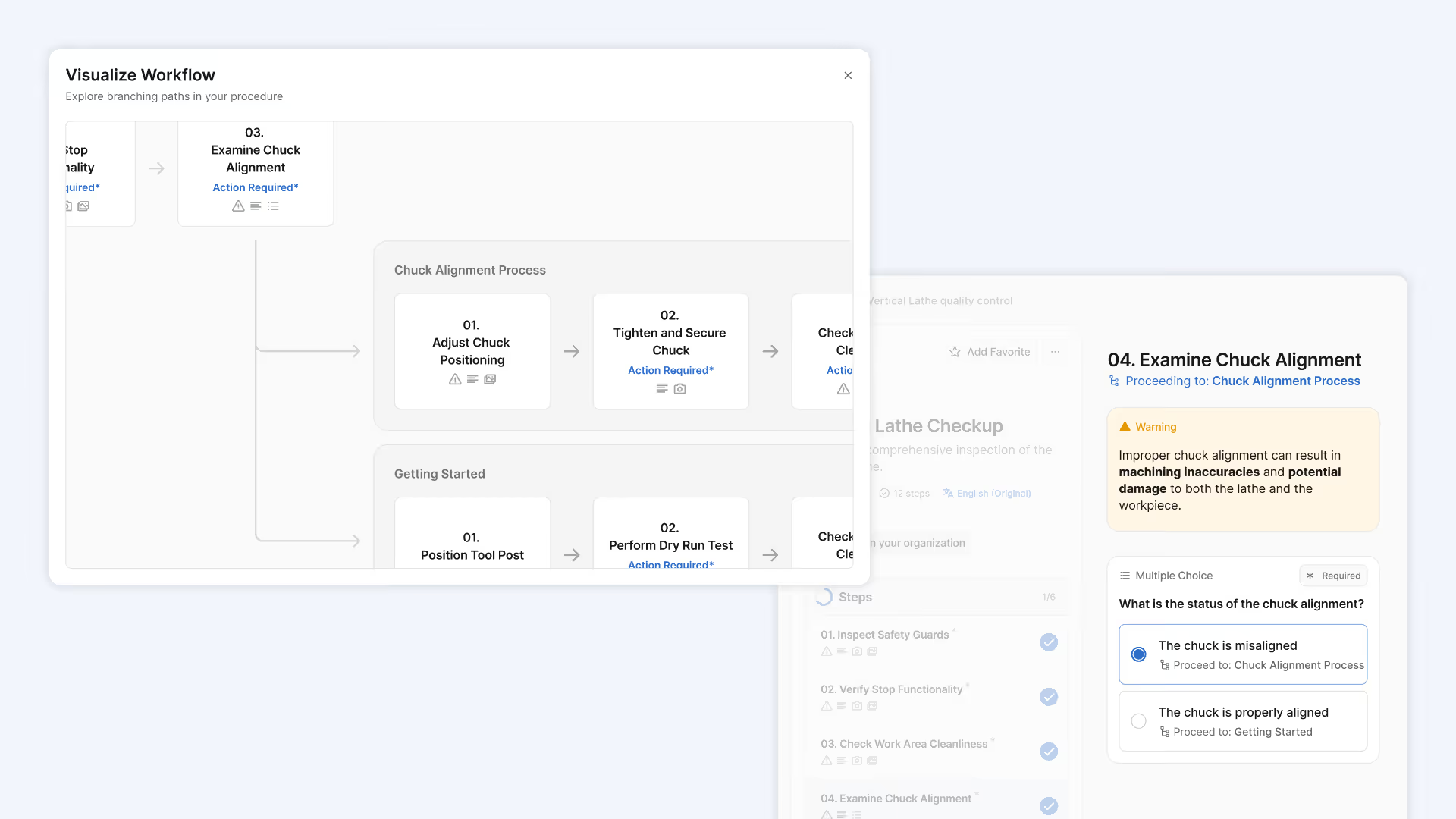
And apply conditional logic to Procedures
Your work instructions can now show or hide specific steps based on conditions you define, like machine type, shift, location, or any input recorded by an operator. Stack multiple conditions together using AND/OR logic to build work instructions that adapt to what's actually happening on the floor, without creating separate versions for every scenario.
If you’ve been assigning tasks already, we have a few new things for you too:
- An approval layer allows supervisors and managers to provide additional sign off on work
- Additional filtering and an improved home page allow you to find the right task at the right time
- You can schedule tasks to repeat for work that happens at a regular cadence
Procedure generation got two major upgrades this month
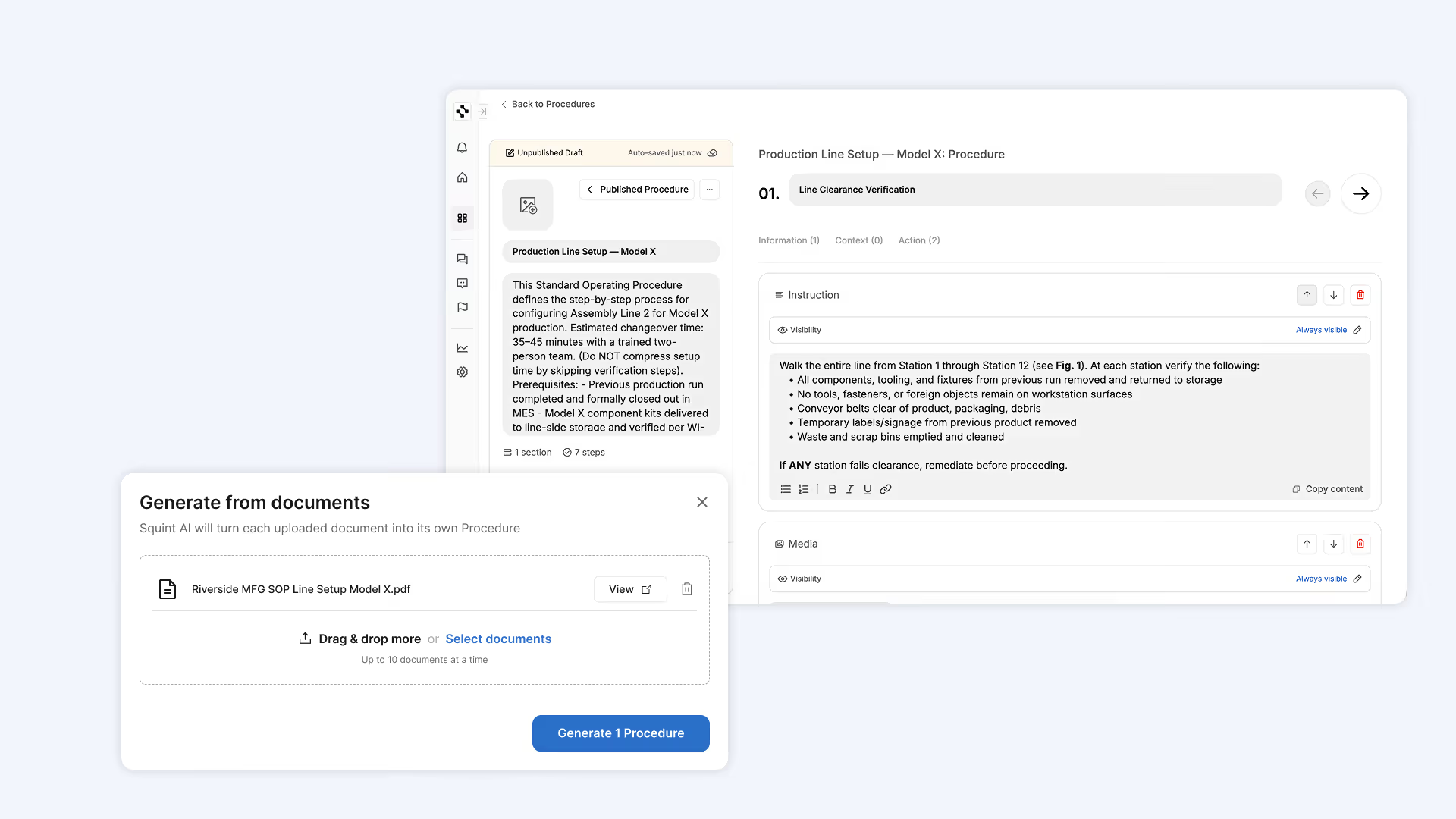
Turn your SOPs, training documents, and work instructions into Procedures
You can now upload an existing document-based procedure, an SOP, work instructions, maintenance manual, or any structured document, and Squint will turn it into structured work instructions – the same way it's always worked with video. This is currently in early access; reach out to your Squint contact to get set up.
Generate Procedures using multiple videos and move media between steps
You can now upload multiple videos for one work instruction and reorder the media files between steps before publishing. Squint's AI intelligently understands which order the videos should be in, but you can always edit the output to suit your preferences. Moving media is supported on web today and will be available on mobile soon.

And a few more things
PDF exports are now instant and viewable in-app
When work is completed, the record of it is immediately available. PDFs are generated automatically and can be viewed directly inside Squint – no wait and no trip to your inbox.
Add dates and times to your procedures
A new work instruction module lets operators log a date, a time, or both. Data is captured as ISO-compliant strings, so every timestamp is logged correctly for compliance reporting.
Default values for Multiple Choice modules
Authors can now set a default answer on Multiple Choice modules, so operators see the most common response pre-selected and only need to change it when something's different.
Copilot deep links
You can now link directly into Copilot with a question pre-submitted. Send a teammate a link and they land in Copilot with the right question already asked.
Cleaner procedure run experience
A few small improvements to how procedures look and behave during a run: steps without content now default to collapsed (less visual noise while still keeping the title visible), hidden modules are excluded from the left review panel, and the performance record view shows "Not submitted" in neutral grey rather than calling attention to it.