
What's New: the Lean Manufacturing agent handles new context, CoE controls document access across facilities, and more

This month, we've added the ability to give the Lean Manufacturing agent even more context on your line, so it returns time-and-motion studies with recommendations that fit your facility. We've also added new ways to analyze long recordings and compare cycles, brought document sharing to the Enterprise Console, and made a few smaller updates that make documents and teams easier to manage. Here's what's new!
Ground the Lean Manufacturing agent in what your engineers already know
Video captures a lot, but some of what matters about your line will always live in your process engineers' heads. Now you can give the Lean Manufacturing agent that context through your documents (SOPs, process diagrams, work instructions, and checklists), so time and motion studies use the precise names for machines, tools, and steps, and the agent’s recommendations get even more accurate.
Then use the prompt box to tell the agent what matters: what counts as a cycle, which station to focus on, and the terms your team uses. The agent uses it all to return a time study that reads like it was written by someone who knows the process.
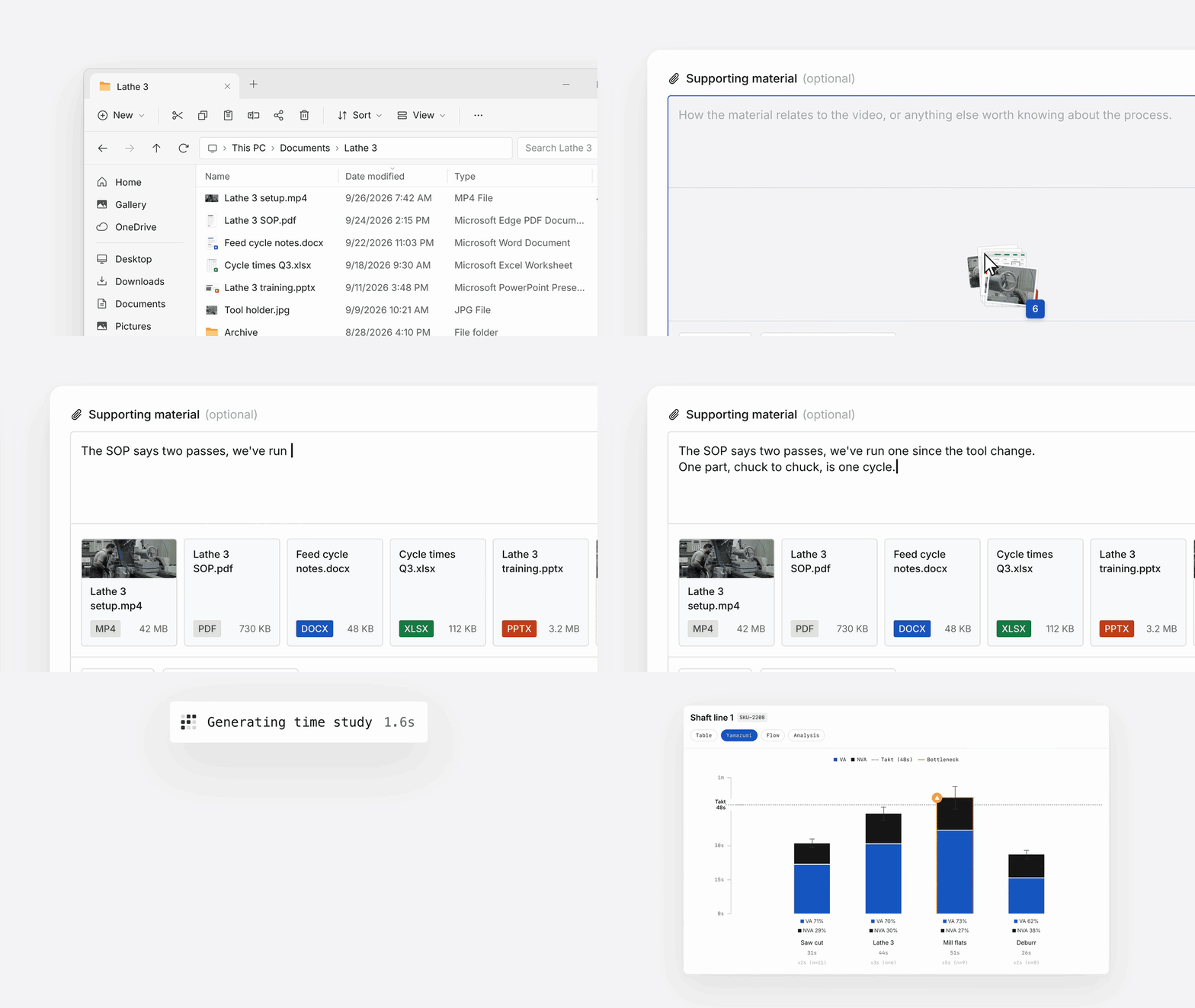
The results are fully editable. Missed something the first time around? Edit the prompt or attach more documents to give the agent more context, then regenerate the results as many times as you want.
"We always kinda knew there was waste in this process, but the Lean Manufacturing agent picked it up immediately, classified it, and put a number to the hours and materials wasted. It was immense, and now we're going to change that process to make things better."
— Axel Gunnarson, TechnipFMC
New to the Lean Manufacturing agent? Read the full announcement here.
Maintain a single doc hub across facilities with the Enterprise Console
The Enterprise Console puts every workspace in your organization on one screen so you can search and share across all of them. Workspace administrators can already search, share, and promote the best-performing procedures across sites; now they can do the same with documents.
[Asset: Enterprise Console document sharing graphic]
Center of Excellence teams can set one source of truth for the documents operators across the organization work from. Whether they live in Squint or sync in from SharePoint, you can share them from the console to any workspace. Every facility works from the same latest version, whether that's five sites or a hundred, and each can still add its own documents. Getting a new document out takes one share instead of an upload per workspace.
The Enterprise Console is in early access. Request access from your Squint rep or through support@squint.ai.
And a few more things
Apply custom properties to documents. For admins and authors managing a large library, the same properties that organize your procedures now organize your documents. Keep the structure from your existing document hub, and help people find what they need fast using terms your team already knows. Assign properties from a document's context menu.
[Asset: custom properties on documents visual]
See any user's full run history. Admins can now open any user's profile and see every procedure run they've completed. Individual operators can see their own history too. Go to Settings, under Members, and click a user to see theirs.

Have a suggestion? Click "Help & support" in the app and select "Send feedback."