The Lean Manufacturing agent, global custom instructions, and everything else we released in August

Last month, we introduced a suite of industrial agents, custom instructions that you can now apply to all work instructions, step labels for customized and compliant work instructions, and a few quality of life improvements that make accessing your Squint workspaces easier and more secure. Here’s what’s new.
Automate time studies with the Lean Manufacturing agent
The Lean Manufacturing agent runs time and motion studies for you. Record one cycle of real work with any device and let the agent return a gapless timeline:
- Every second classified as value-added, necessary non-value-added, or one of the 7 forms of waste.
- Every job documented with each tool, material, measurement, and quality check, tied to the exact seconds it appears on camera.
- Fixes recommended by impact, with each linked to the footage as proof.

The study is yours to refine
You can adjust segments by hand and the timeline will automatically update around it. From there, upload video from every cell on a line and the agent will stack each station against your takt time in a Yamazumi chart, then suggests how to rebalance the work. There's more to discover, read the full announcement here.
Custom instructions can now be applied globally
Customers already use custom instructions to shape individual procedures during generation. Now, those rules can be applied globally.
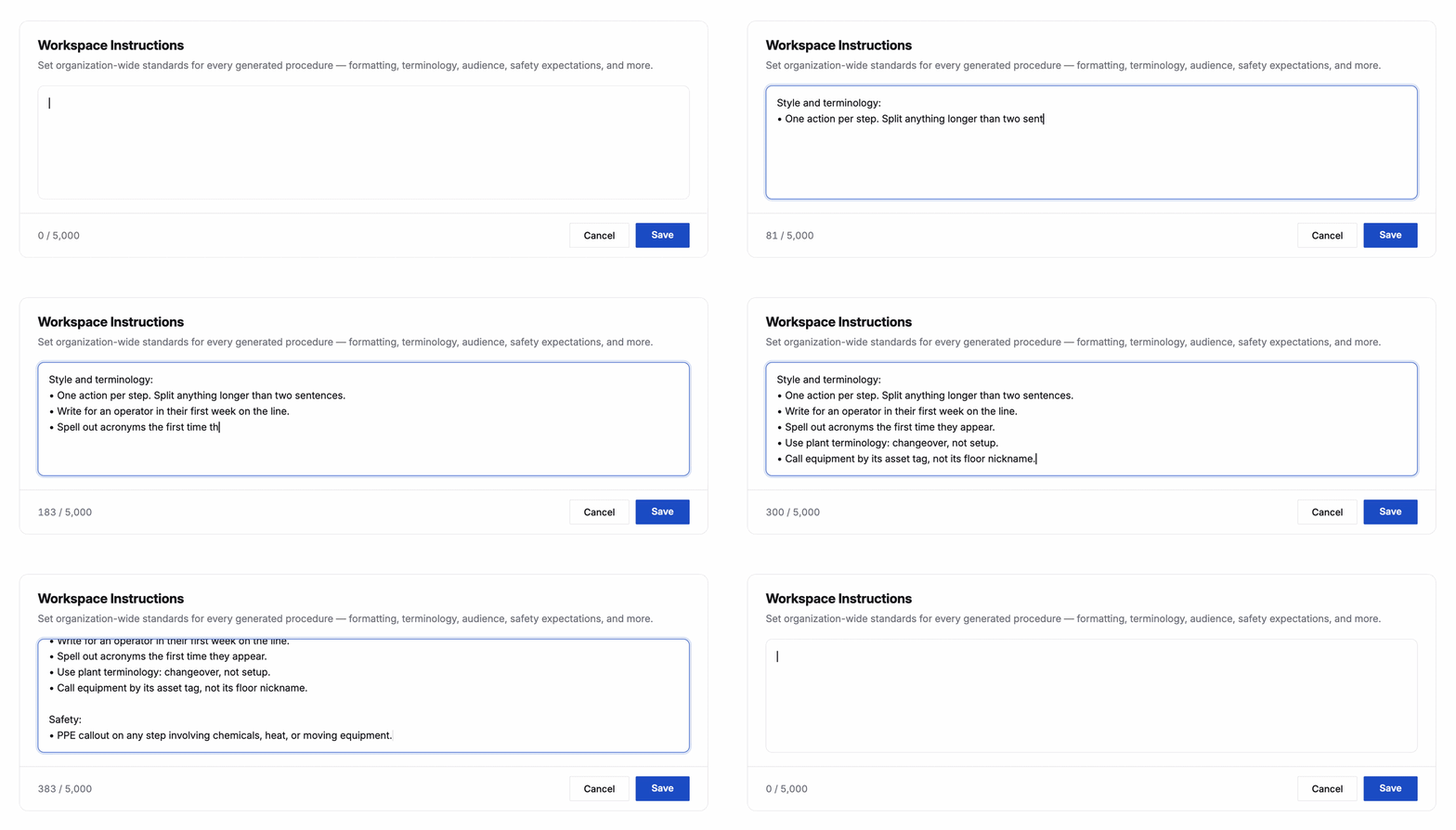
Input your standards once as global custom instructions and watch those rules apply to each new work instruction your team generates from then on. Live now for all customers in the Settings tab under 'Procedure Generation'.
And a few more things
Use step labels to flag safety and quality within steps. Build your own library of custom labels to meet OEM and audit requirements, call attention to safety checks, or flag any standard you set. Set up your labels in Settings and attach them in the step editor.
.png)
Microsoft Authenticator support. Squint now supports authentication through the Microsoft Authenticator app on your device. Update to the latest mobile app version to start using it and skip the endless password submission loop.
Provision your own users. Workspace owners with verified domains can now get new hires onboarded into Squint faster with a new user provisioning tab in Settings. Individually or in bulk, decide who lands in which workspace, with predetermined roles and preset access groups. Want to set up a verified domain for your Squint workspace? Reach out to support@squint.ai to get started.
Have a suggestion? Click "Help & support" in the app and select "Send feedback."